The same reminders, nothing to move

Memento doesn't keep its own copy of your reminders. It opens the ones already in Apple's Reminders, synced through iCloud, so there's nothing to import or export. Add, complete or edit a reminder in either app and it changes in both, and if you ever go back, everything is where you left it.

In Apple's Reminders: Apple's Reminders shows the very same list: the same reminders, dates and priorities.
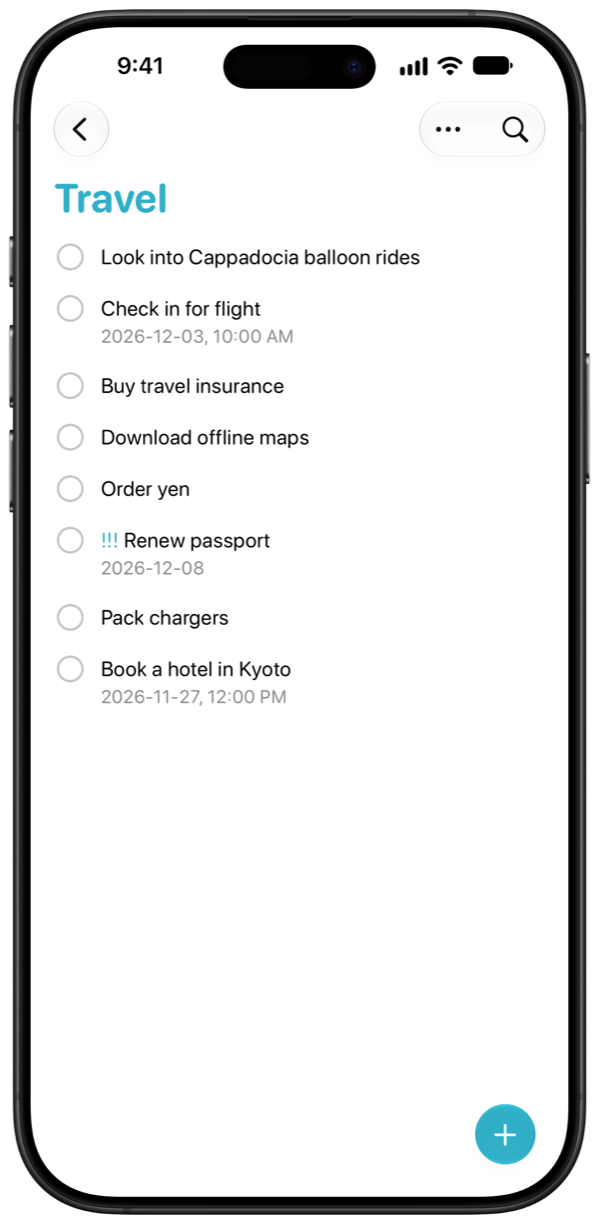
The Travel list in Apple's Reminders, where Pack chargers is checked off
Reminders
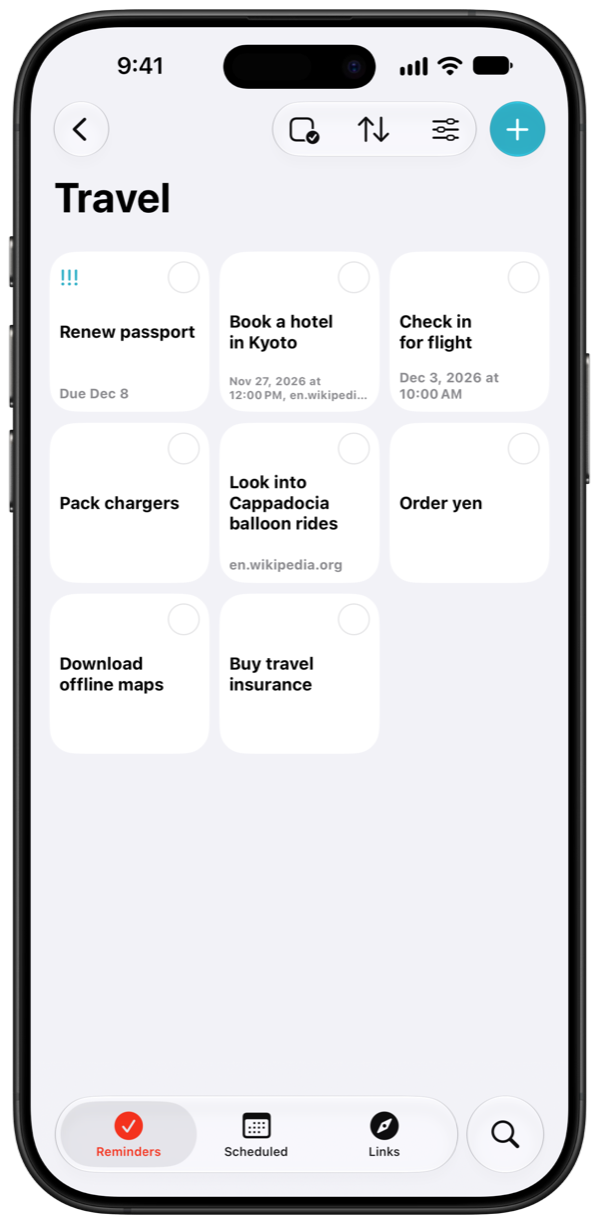
The same Travel list in Memento, where Pack chargers is checked off at the same moment
Memento

Every list at a glance

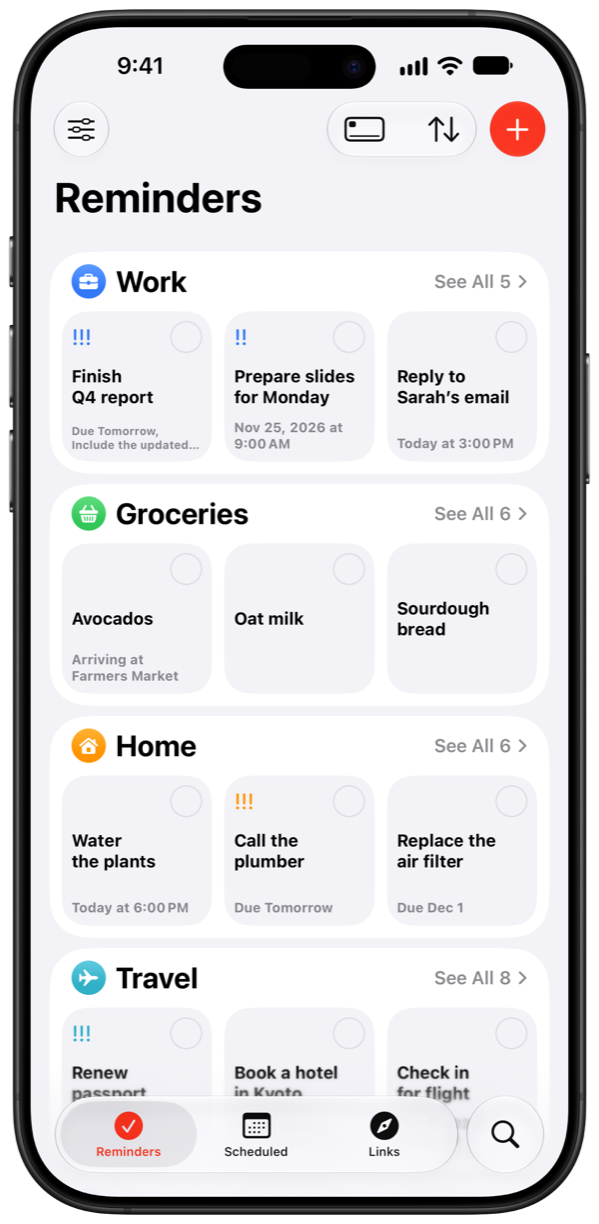
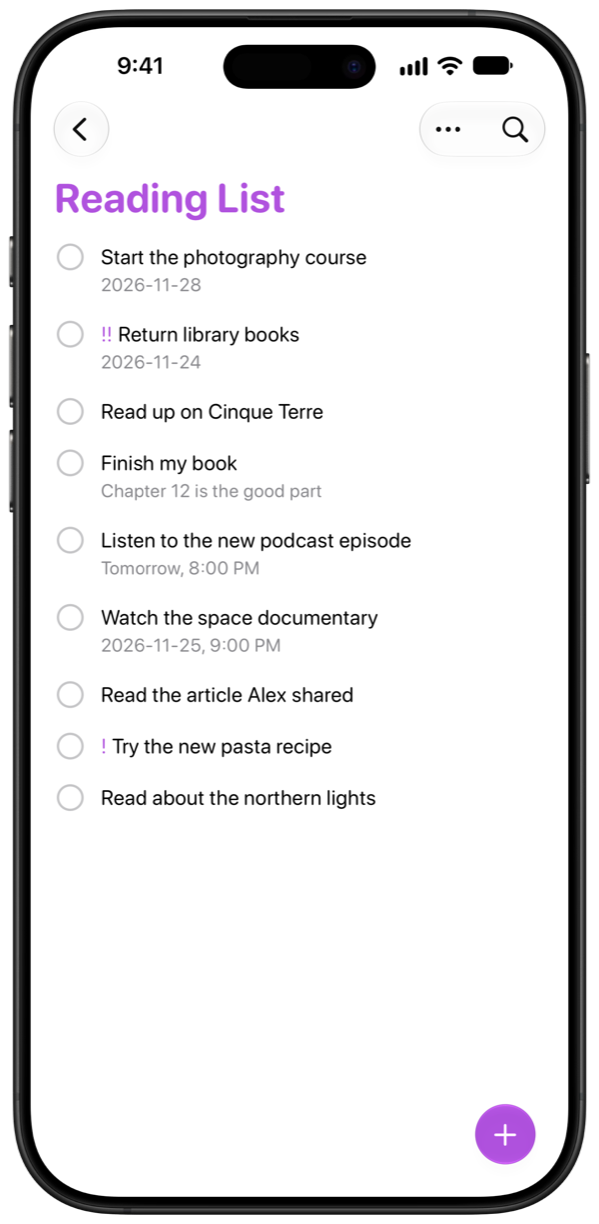
Memento opens on all your lists at once, each a coloured card with its icon and its reminders inside. You see what's in every list without opening any of them, in the layout that suits you: Minimal, Peek, List or Card.

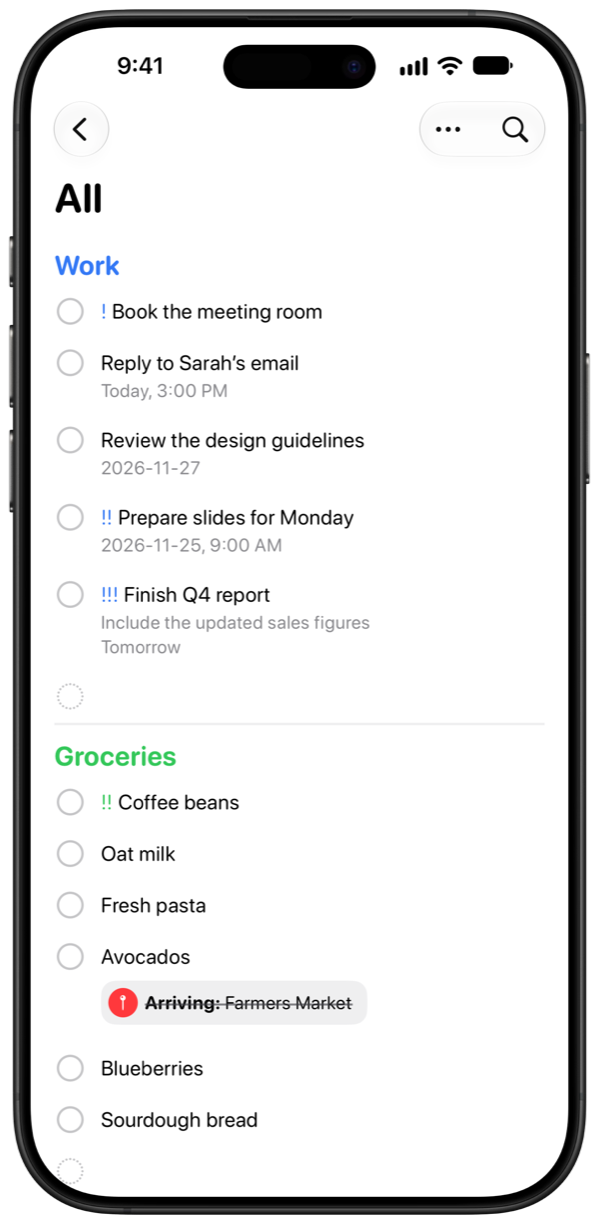
In Apple's Reminders: Apple's Reminders starts from a list of lists. Its All view runs every list together in one long scroll.

Apple's Reminders' All view, one long list
Reminders
Memento's Reminders tab, with every list as a card
Memento

Your whole week on one screen

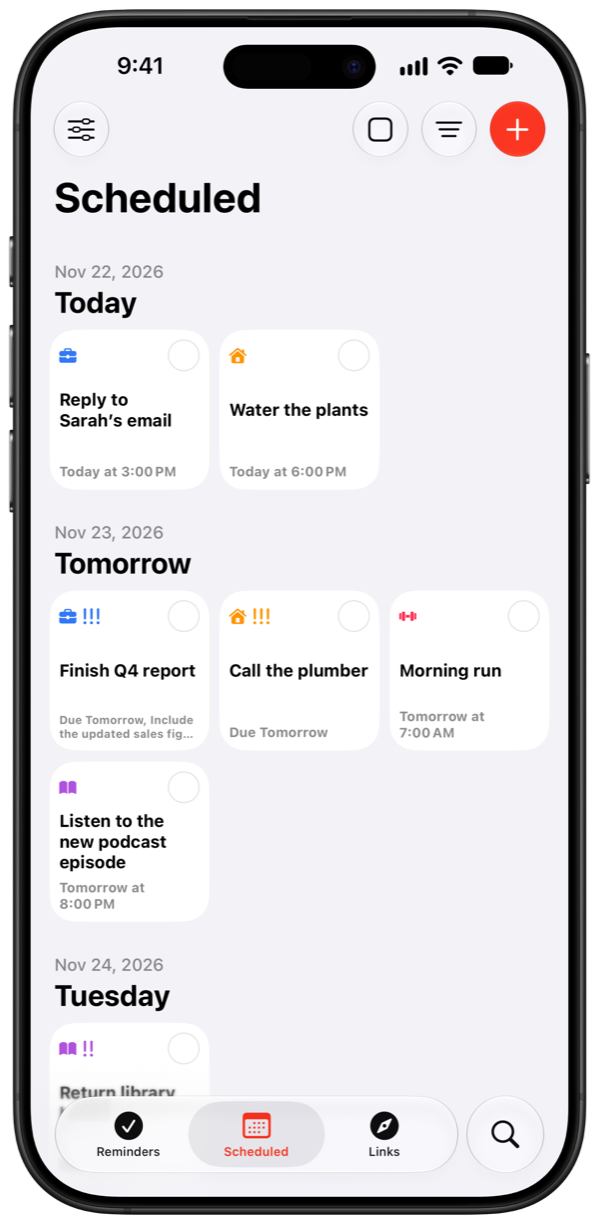
In Scheduled, each day's reminders sit side by side as cards, so the days ahead fit on a screen, and later weeks and months gather into sections of their own. Plans changed? Drag a reminder into another day to reschedule it.

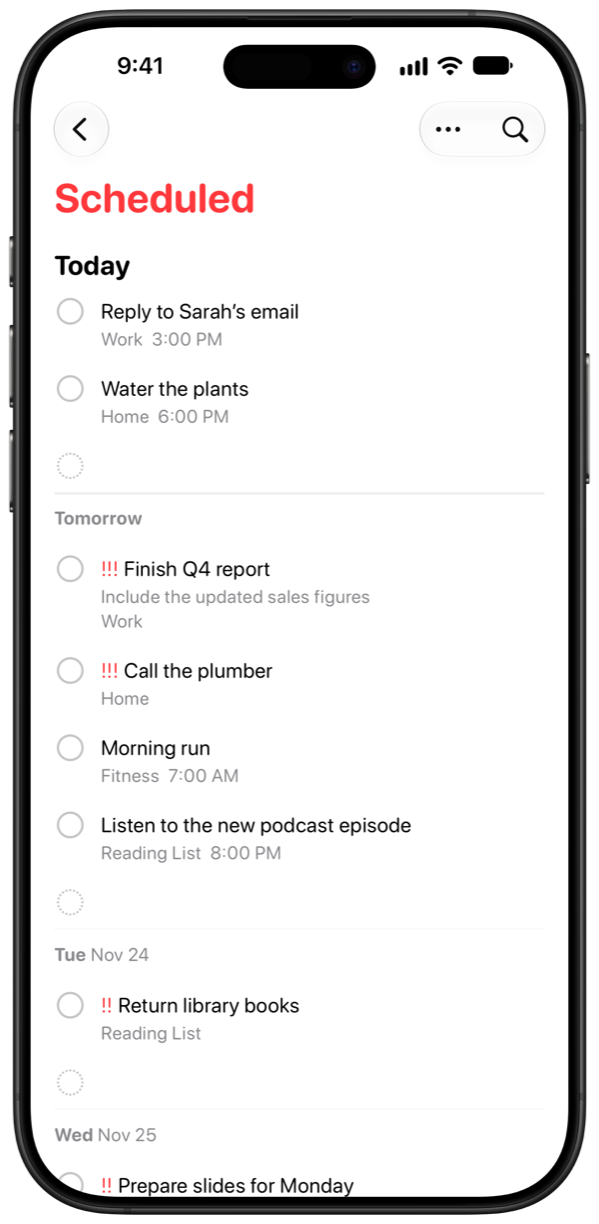
In Apple's Reminders: Scheduled is one long list with a heading for each day, so a busy week takes a lot of scrolling.

Apple's Reminders' Scheduled list
Reminders
Memento's Scheduled tab, with each day's reminders as cards
Memento

Say several reminders at once

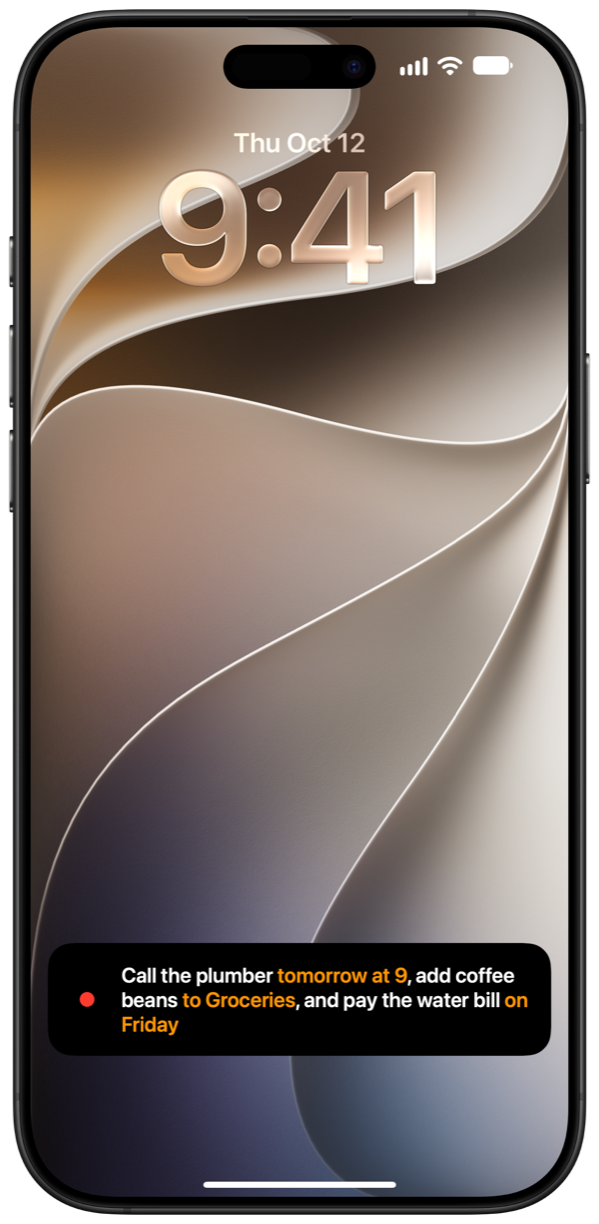
Start Speak a Reminder from Control Centre or the Lock Screen and just talk: “call the plumber tomorrow at 9, add coffee beans to Groceries, and pay the water bill on Friday.” Memento hears where one reminder ends and the next begins, saves each with its own time and list, and lists them on the Lock Screen, with Undo, without opening the app.

In Apple's Reminders: Apple's Reminders has no recording mode of its own. To add reminders by voice, you ask Siri.

Speak a Reminder on the Lock Screen: the words come in as they're heard, the times and list it picks out highlighted, and then the three reminders are saved

Memento

At a glance

Feature Memento Apple Reminders
Works with your iCloud reminders Yes, the same ones Yes
Layouts Minimal, Peek, List and Card List, or columns
Upcoming reminders Days side by side, then weeks and months; drag to reschedule One list, a heading per day
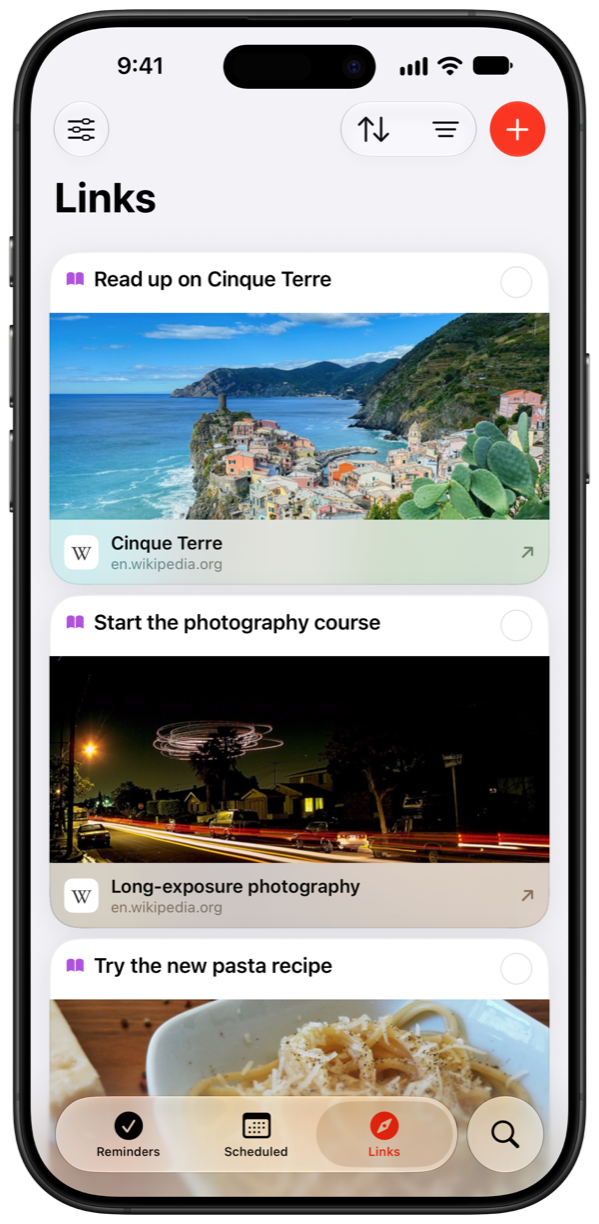
Saved links A Links tab with previews Inside each reminder
Say several reminders at once Yes, from Control Centre or the Lock Screen No recording mode; Siri
Time and location alerts Yes Yes
Complete or snooze from a notification Yes Yes
Widgets, Siri and Shortcuts Yes Yes
iPhone, iPad, Mac, Apple Watch, Apple Vision Pro Yes Yes
Subtasks Shown as reminders of their own Nested under their reminder
Tags, flags, sections and images Kept, but not shown Yes
Price US$7.99, once Free, built in

When Apple's Reminders is the better fit

Memento can only show what Apple lets other apps see. Stick with Apple's Reminders if:

  • You organize with tags, flags or sections. Apple doesn't let other apps see them, so Memento can't show them (it never removes them, either).
  • You like subtasks tucked under their reminder. Memento shows them, but as reminders of their own, since Apple doesn't tell other apps which reminder a subtask belongs to.
  • You attach photos to reminders.
  • You'd rather not pay for a reminders app: Apple's is free and already on your devices.

And as your reminders live in Apple's Reminders either way, you can use both: Memento day to day, and Apple's app for the rest.

Questions

Does Memento replace Apple's Reminders app?

It replaces the app, not your reminders. Memento uses the same reminders as Apple's Reminders, synced through iCloud, so you can use either app, or both, and they always agree.

Do I need to import my reminders into Memento?

No. Memento shows the reminders you already have as soon as you give it access to them. There's no account to create and nothing to import.

What happens to my reminders if I stop using Memento?

Nothing. They stay in Apple's Reminders, exactly as they are, because that's where they were all along.

What happens to my subtasks, tags and flags in Memento?

Nothing is removed. Subtasks show up in Memento as reminders of their own, as Apple doesn't tell other apps which reminder they belong to. Tags, flags, sections and images aren't shared with other apps at all, so Memento doesn't show them, but it leaves them in place, and they stay visible in Apple's Reminders.

Does Memento work on Apple Watch, Mac and Apple Vision Pro?

Yes. Memento runs on iPhone, iPad, Mac, Apple Watch and Apple Vision Pro, with widgets, Siri and Shortcuts.

How much does Memento cost?

US$7.99 once, with no subscription, in-app purchases or ads. Apple's Reminders is free.

Memento

Try Memento with the reminders you already have.

Download on the App Store